




Enter the phone number below in the format +4219xx xxx xxx or 09xx xxx xxx and we will send you an SMS with a link to download the Tatra banka mobile application, or scan the QR code.




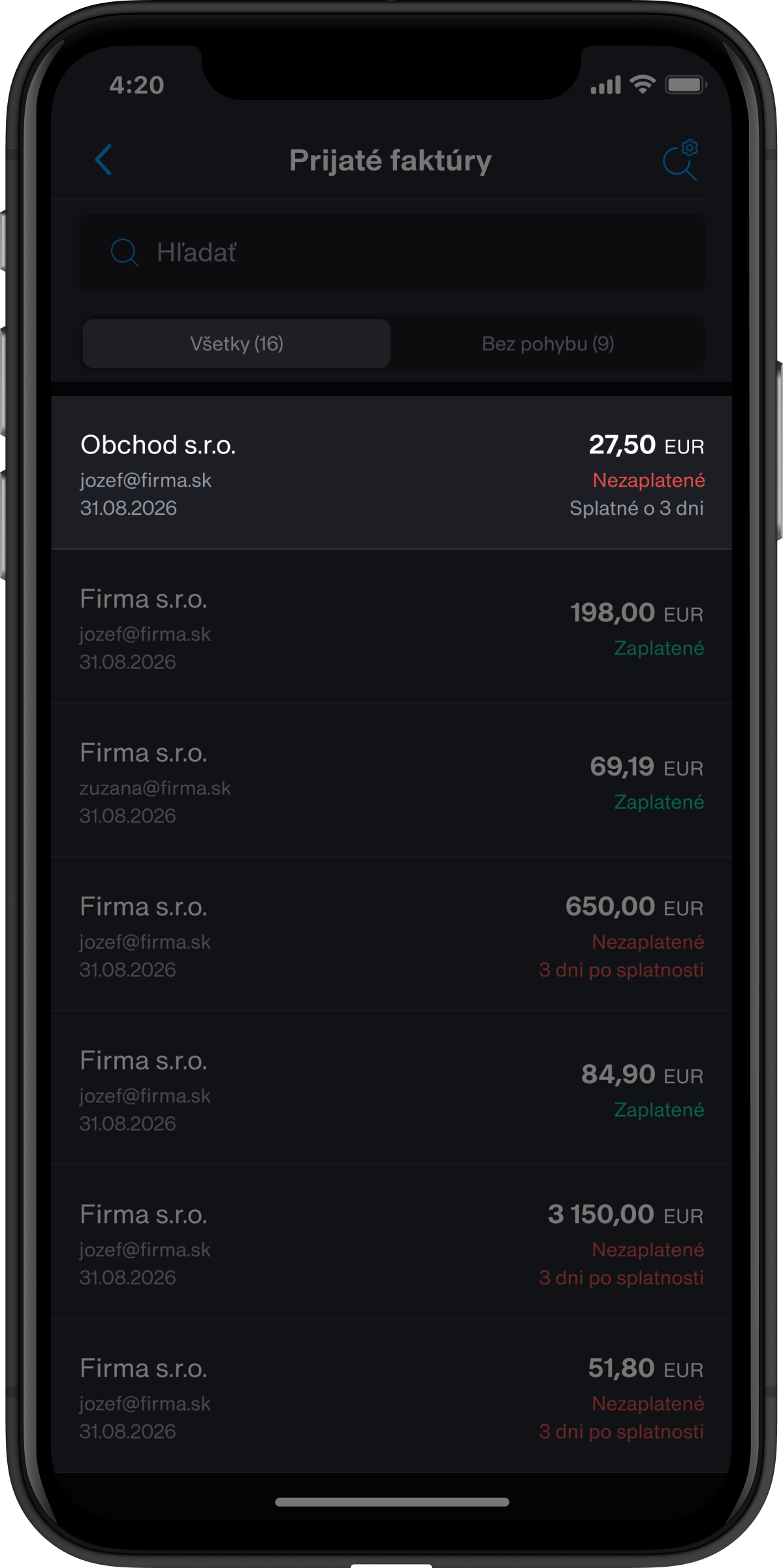


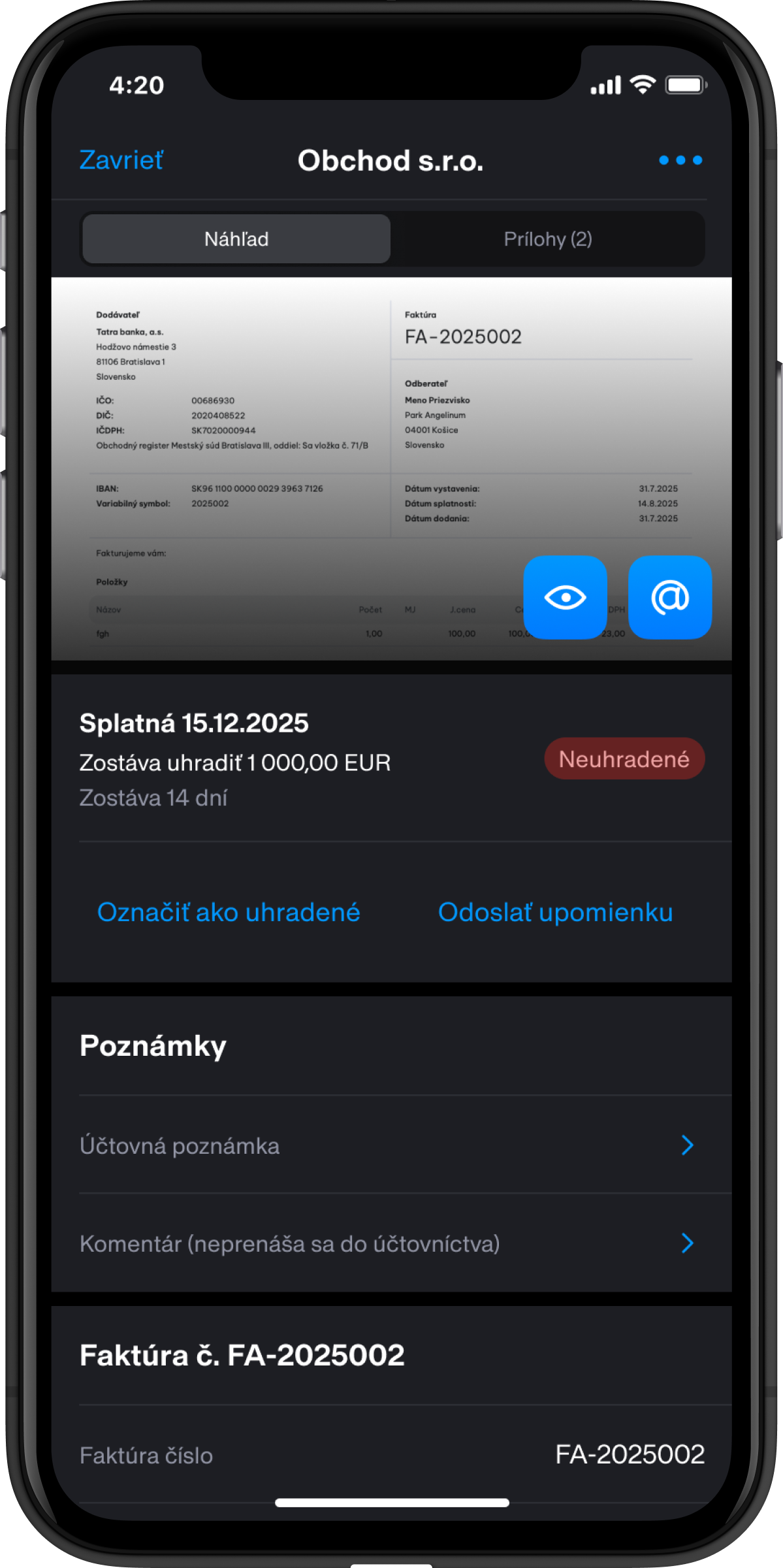


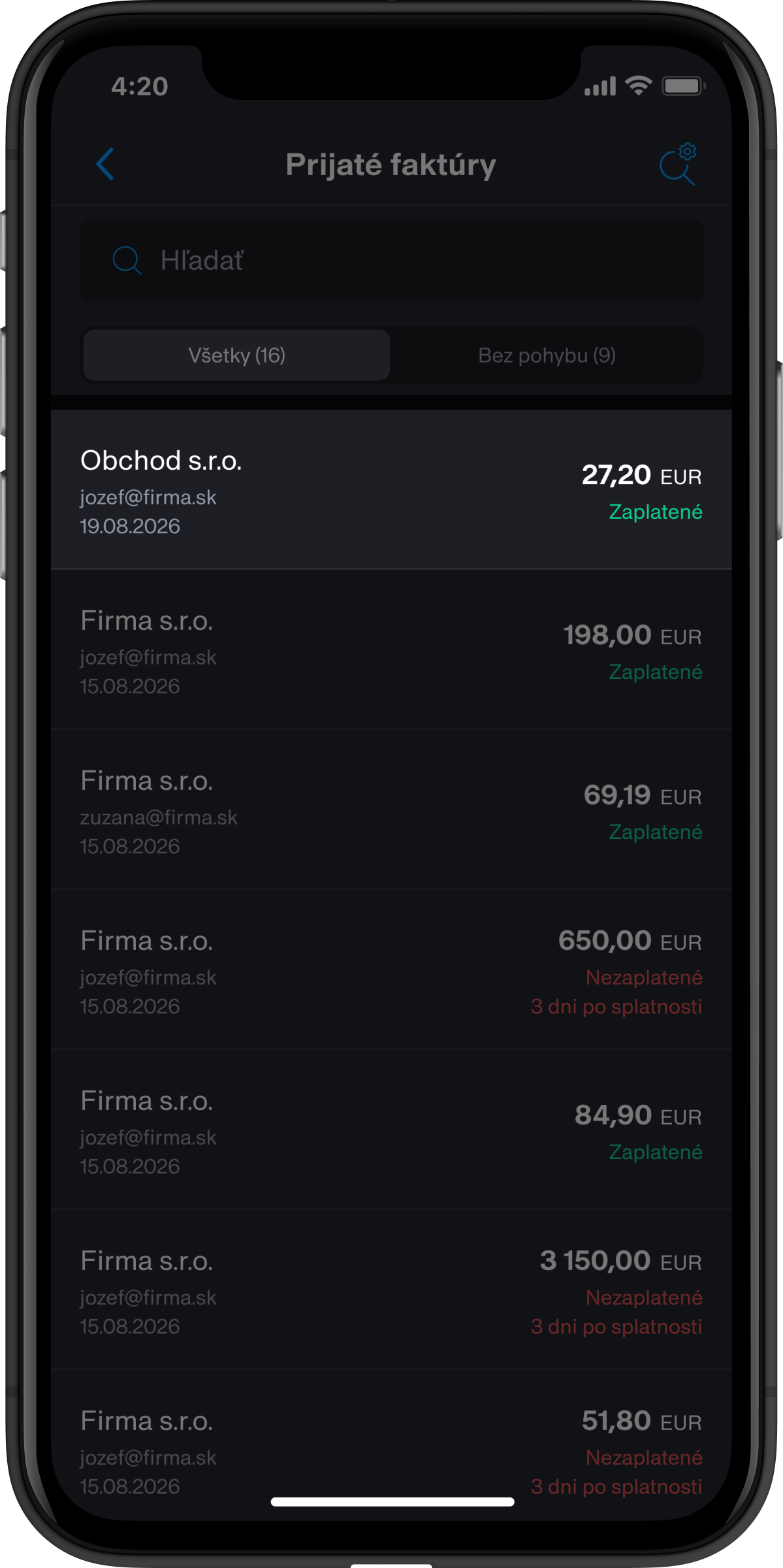


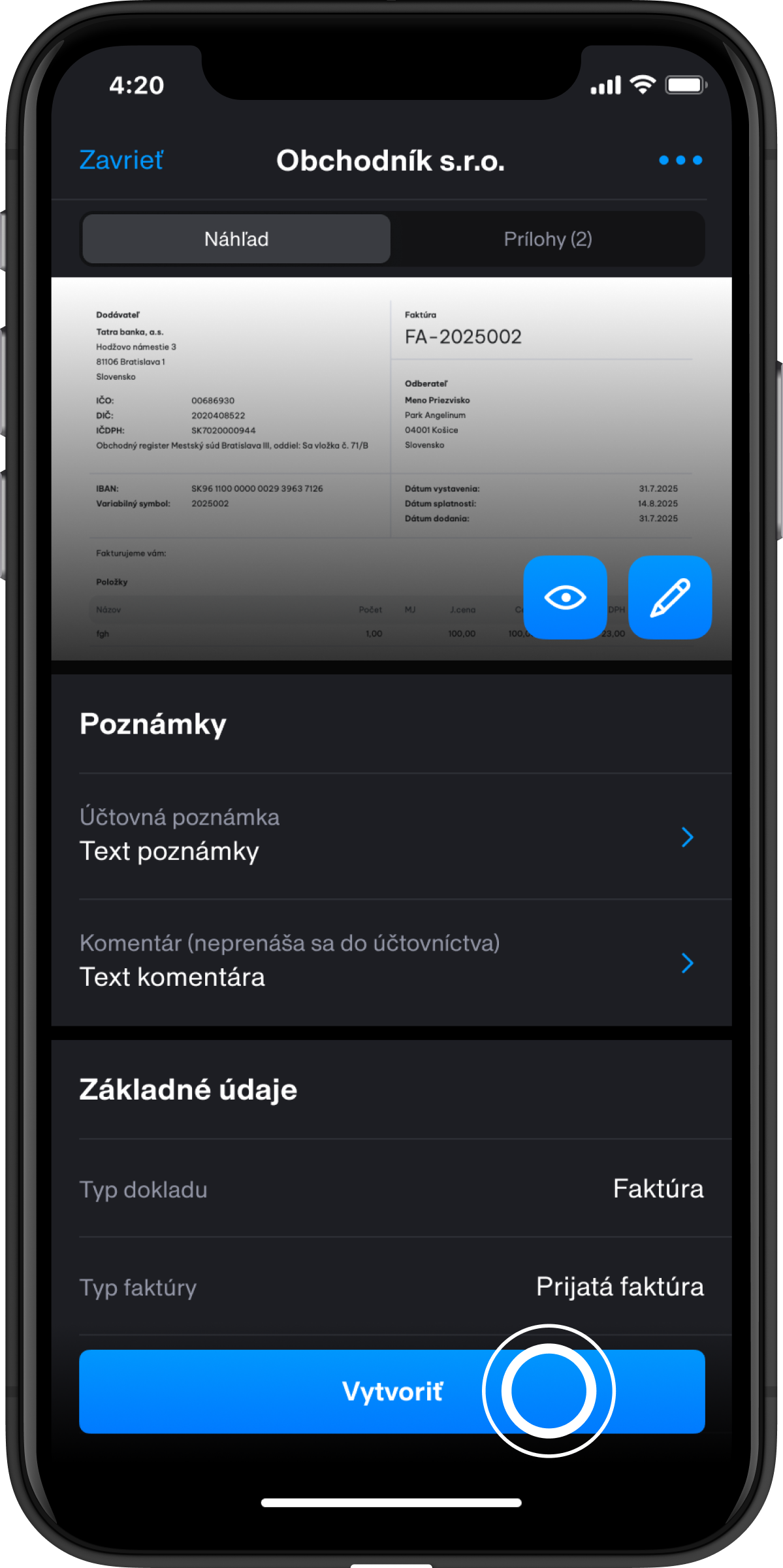


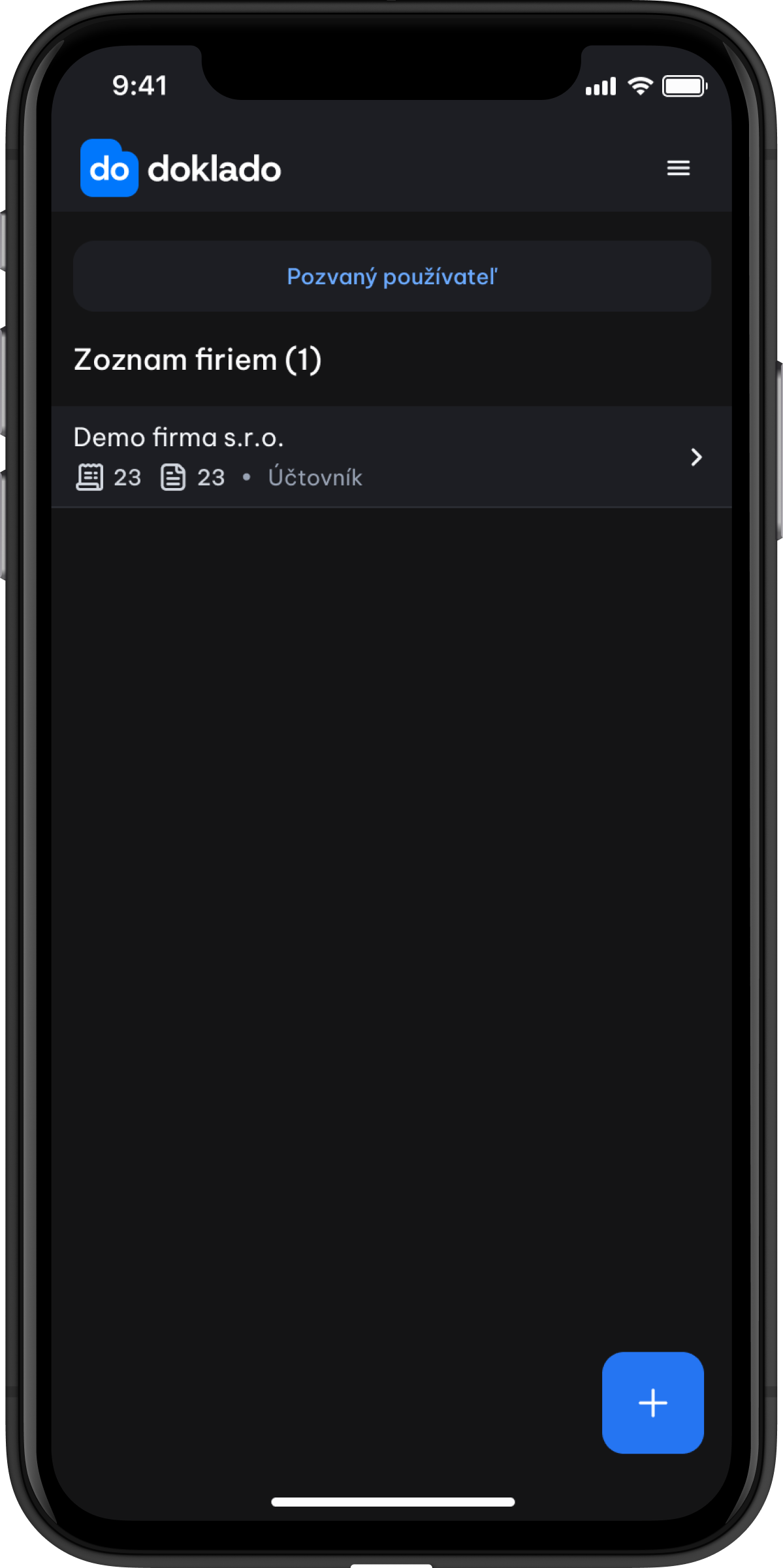


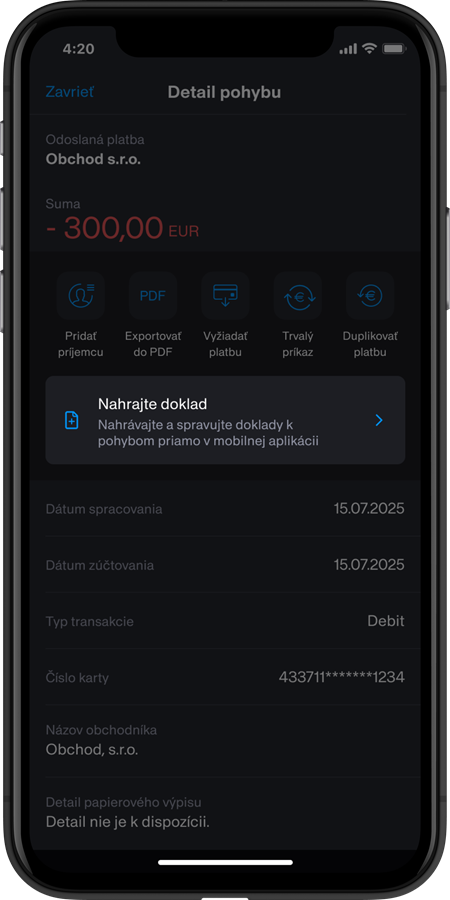
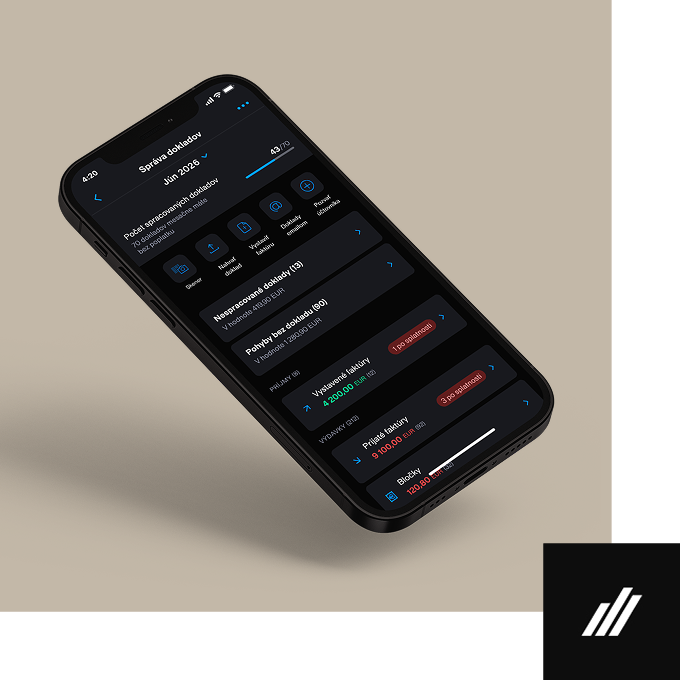
Document Management — digital convenience in your pocket
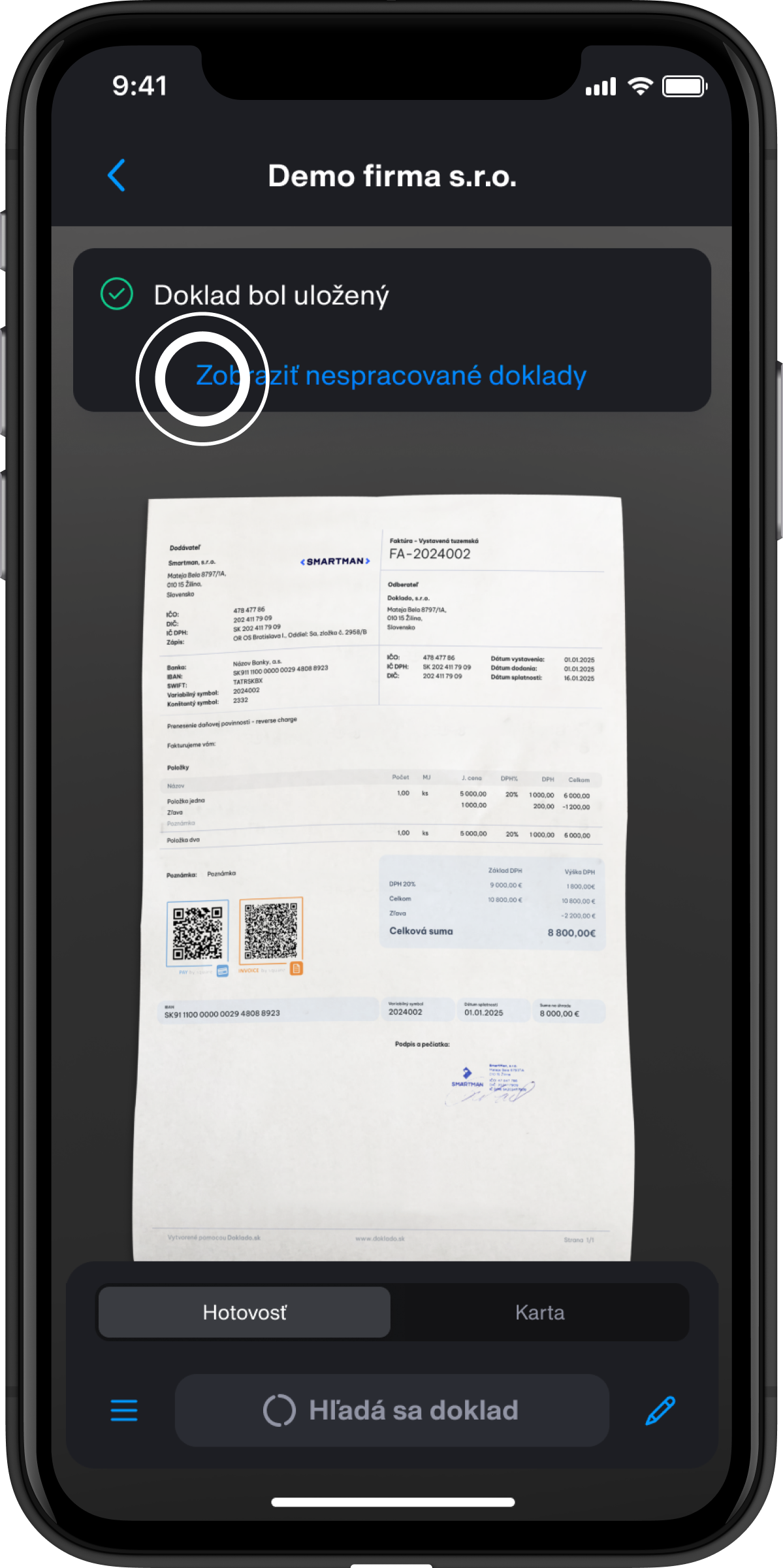
Forget paperwork and gain an overview of your business. Document Management brings you express document processing, automatic connection with your accountant, VAT prediction and cash flow — all conveniently in the Tatra banka mobile app in the My Company section. Run your business faster, easier and with perfect overview.
Tatra banka will support your business with 70 documents per month free of charge. Get a real-time overview of your business.
Main features of digital Document Management in the Tatra banka mobile app

e-Invoice
You can access e-Invoices through Doklado Postman and manage them via Document Management in the Tatra banka app.

Scanning, uploading documents
Fast and accurate. Significantly shorter processing time.

Issuing an invoice
Issue your invoices easily – anywhere and anytime.

VAT prediction
A preliminary VAT calculation helps you prepare in advance and avoid surprises.

Document collection by email
All documents from suppliers are automatically saved in the system.

Automatic matching with payments
The system matches documents with transactions, alerts you to unpaid invoices and helps prevent delays.

Inviting an accountant
Simple access sharing with your accountant.
The end of paperwork in business — start digitally
The Document Management service gives you an overview of all your company bank transactions, receipts, and received or issued invoices in one place. After refuelling your company car, simply scan the receipt directly in the app. The data will automatically be made available to your accountant, who will immediately see everything they need for their work. Fast, convenient and clear.
Benefits of the new Document Management service
- Tatra banka will support your business with 70 documents per month free of charge.
- If you already use Doklado services, you can find more information on the website.
- A detailed overview of all your documents in one place.
- Clear document processing status.
- A clear estimate of your income and expenses, sorted by highest priority.
- Quick invoice payment directly in the mobile app.


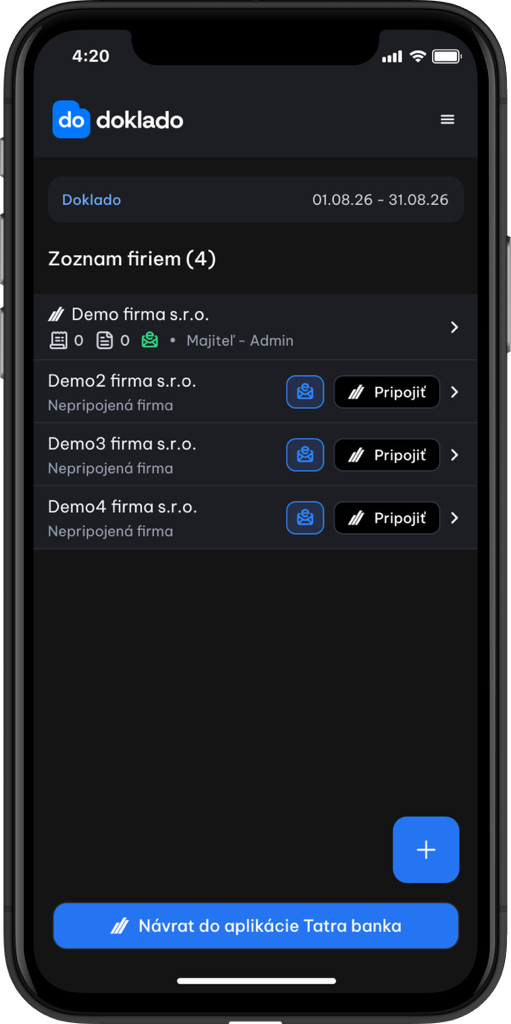
Guides
Select a category


Scanning receipts and invoices


Uploading receipts and invoices


Issuing an invoice


Invoice payment


Using the email gateway to collect documents


Adding an accountant


Document statuses


Guides on the Doklado partner website
Frequently asked questions
What every business owner should know about e-invoicing
Basic information
What is an e-invoice?
An e-invoice is an electronic invoice in a structured data format (not a PDF, but a structured XML file in Peppol BIS 3.0 format) that enables automated processing by information and accounting systems. Unlike standard PDF documents, it has a precisely defined data structure that allows a system to automatically validate, import and process it further without the need to manually re-enter data.
An e-invoice can also be displayed in a human-readable format, for example as a PDF preview. However, the PDF document itself is not a structured e-invoice.
Who will be subject to mandatory e-invoicing from 1 January 2027?
Who the law applies to
From 1 January 2027, mandatory e-invoicing will apply primarily to domestic transactions specified by law between businesses and other entities, mainly B2B and B2G transactions.
The scope of the obligations depends on whether the business is VAT-registered, not VAT-registered or another entity that must be able to receive e-invoices.
A standard PDF invoice sent by email will not be sufficient for transactions subject to mandatory e-invoicing.
Who must issue e-invoices?
- The obligation to issue e-invoices will apply to VAT-registered businesses for domestic supplies of goods and services specified by law, as well as when receiving payment before supply, if the law requires an invoice to be issued.
- If a business is VAT-registered and carries out a transaction subject to mandatory e-invoicing, it must issue and send a structured e-invoice from 1 January 2027.
Who must receive e-invoices?
- The obligation to receive e-invoices is broader than the obligation to issue them.
- Any person or entity to whom a VAT-registered business is required to issue an e-invoice must be able to receive it. These include, in particular, domestic taxable persons and legal entities, such as VAT-registered and non-VAT-registered businesses, sole traders, companies, independent professionals, non-profit organisations and municipalities.
- Even if a business is not required to issue e-invoices, it may be required to make arrangements to receive them.
In the first phase, from 1 January 2027, mandatory e-invoicing will apply to domestic transactions specified by law. It is expected to be extended to selected cross-border transactions from 1 July 2030. The law also specifies particular cases and supplies to which the obligation may not apply.
Will I need invoicing software to work with e-invoices?
To issue, send and receive e-invoices, you will need a solution that supports the structured electronic format required by law and communication with a digital postman. However, this does not necessarily have to be new or standalone invoicing software.
You can process e-invoices using compatible accounting or invoicing software, or through a digital postman's web or mobile application. Check with your current system provider whether it will support e-invoicing.
An invoice created solely in Word or Excel and sent as a PDF will not be sufficient for transactions subject to mandatory e-invoicing, as it is not a structured e-invoice.
Tatra banka clients can also use the Document Management service in conjunction with an activated Doklado Poštár service to work with e-invoices. The availability of features and any fees are governed by the current terms and conditions of the service.
What is a digital postman and why do I need one?
A digital postman is a common term for a certified delivery service provider. It ensures the secure sending and receiving of e-invoices between suppliers and customers and provides information on their delivery status.
A digital postman does not replace accounting or invoicing software. Its primary role is to deliver structured e-invoices between participating entities. However, its services can be integrated with an accounting or invoicing system, or made available through a standalone web or mobile application.
With the introduction of mandatory e-invoicing, simply printing an invoice or emailing it in PDF format will no longer be sufficient for certain transactions. Businesses will need a solution that allows them to:
- receive e-invoices,
- send e-invoices,
- track their delivery and processing status,
- make them available to an accountant or accounting system,
- store them in accordance with legal requirements.
A digital postman ensures that an e-invoice is securely delivered to the correct recipient in the required structured format and ready for further processing in the accounting system.
How to prepare
How do I choose a digital postman?
When choosing a digital postman, check that it is a certified delivery service provider or its official intermediary listed on the Financial Administration portal.
What is the process for choosing a digital postman?
To use e-invoicing, you need to choose a certified digital postman. Follow these simple steps to select and activate one.
What is the process for choosing a digital postman?
To use e-invoicing, you need to choose a certified digital postman. Follow these simple steps to select and activate one.

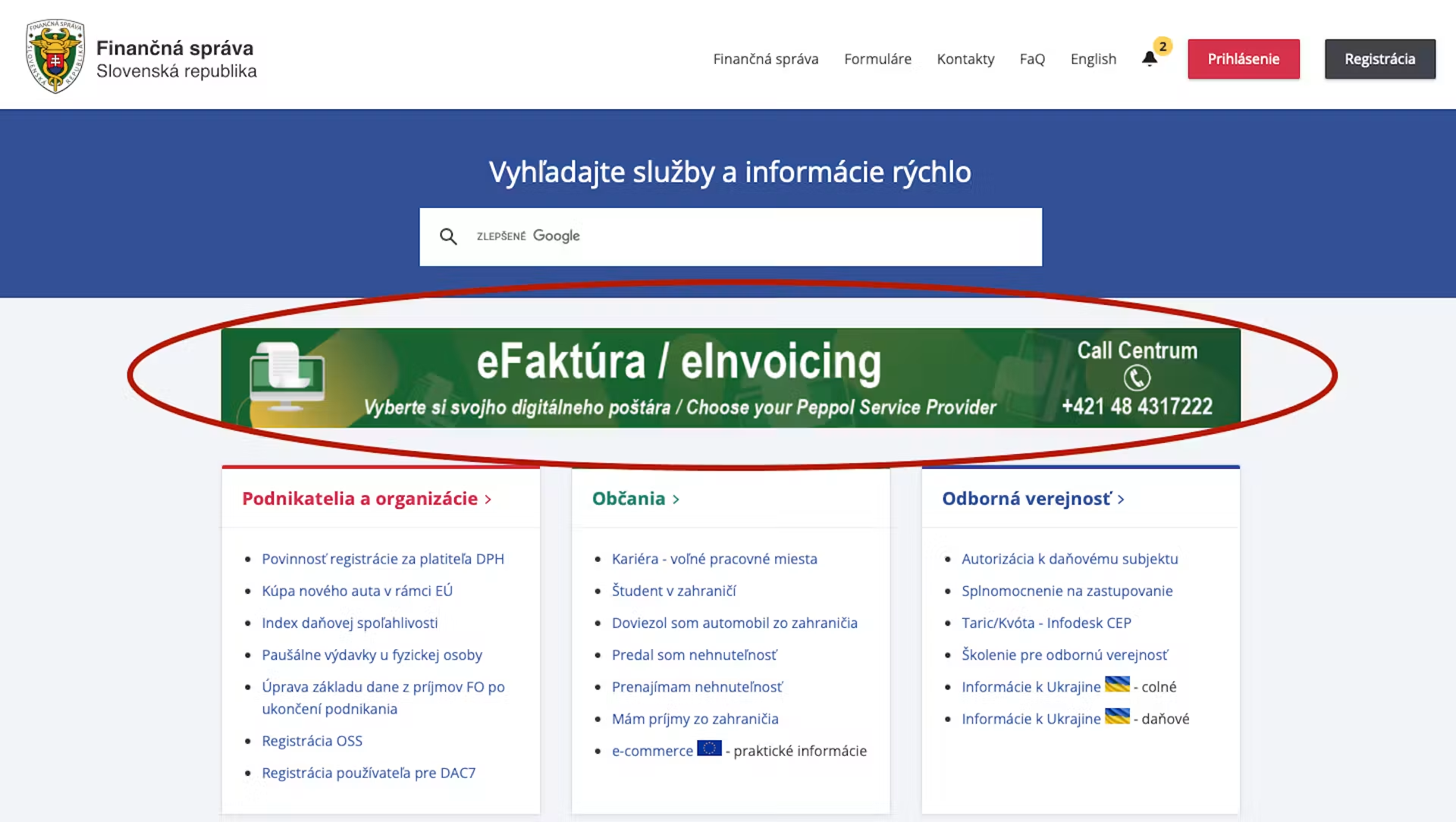
Sign in to the Financial Administration application
On the page for selecting a digital postman, sign in using your account on the Financial Administration portal.
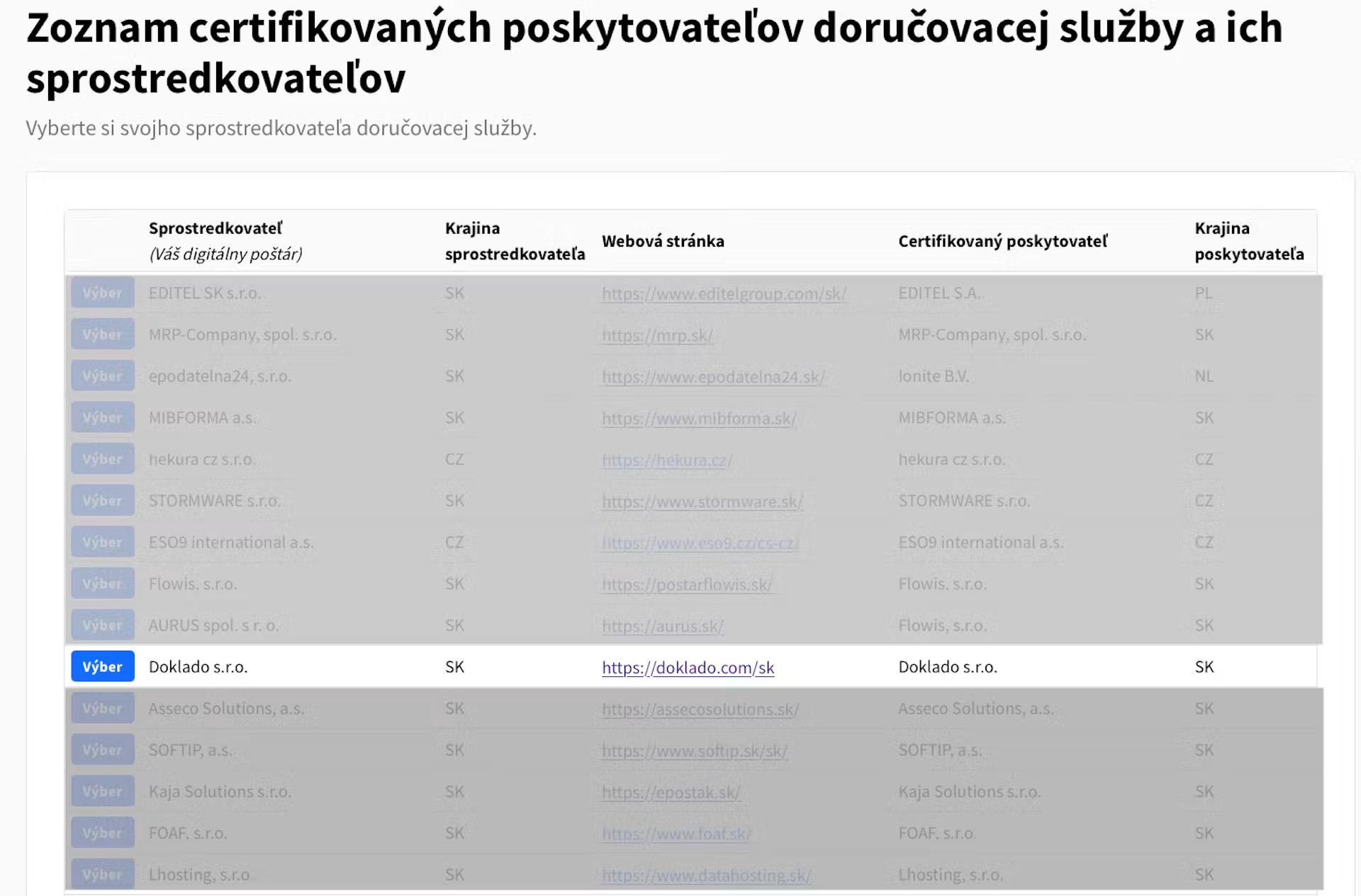
Choose a digital postman
Find the digital postman you will use to receive and send e-invoices in the list of certified providers. Before continuing, you can check their contact and identification details.
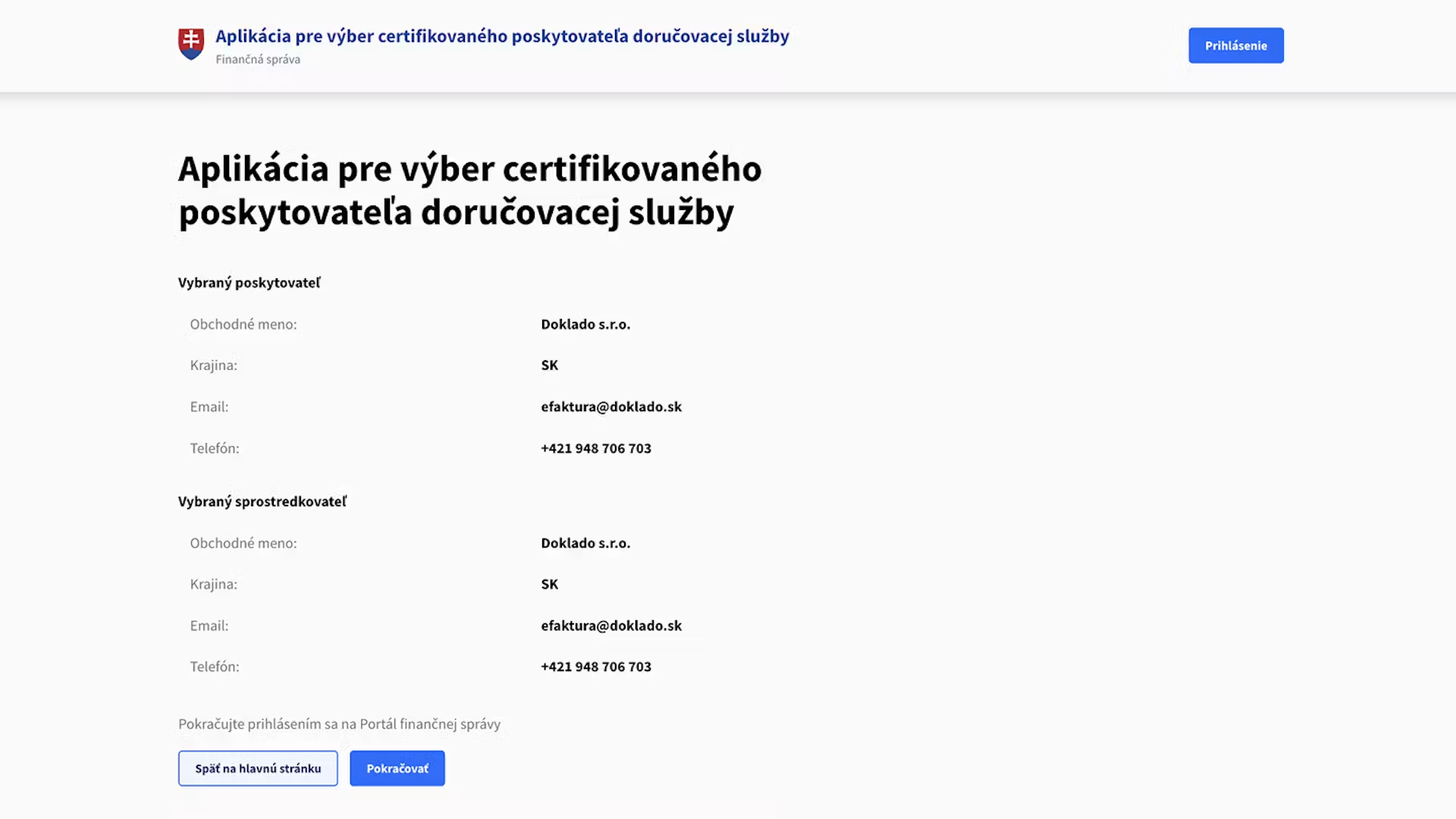
Check the provider's details
Before continuing, check the information displayed about the selected provider and intermediary. If you are satisfied with your selection, proceed to the next step.
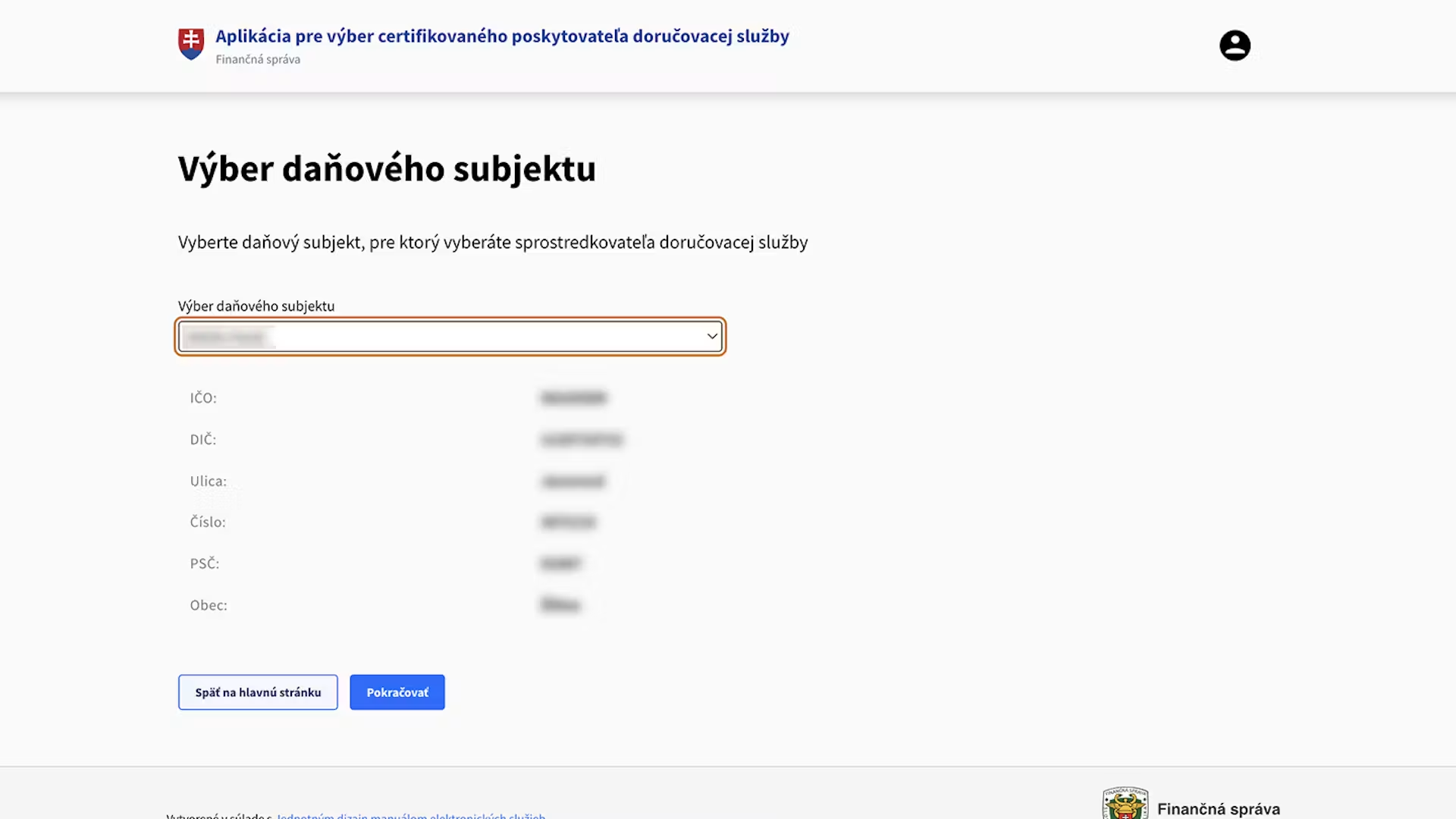
Select your company or sole trader business
Select the business entity for which you want to set up e-invoicing. You can only proceed if the entity has been assigned a tax identification number (DIČ).
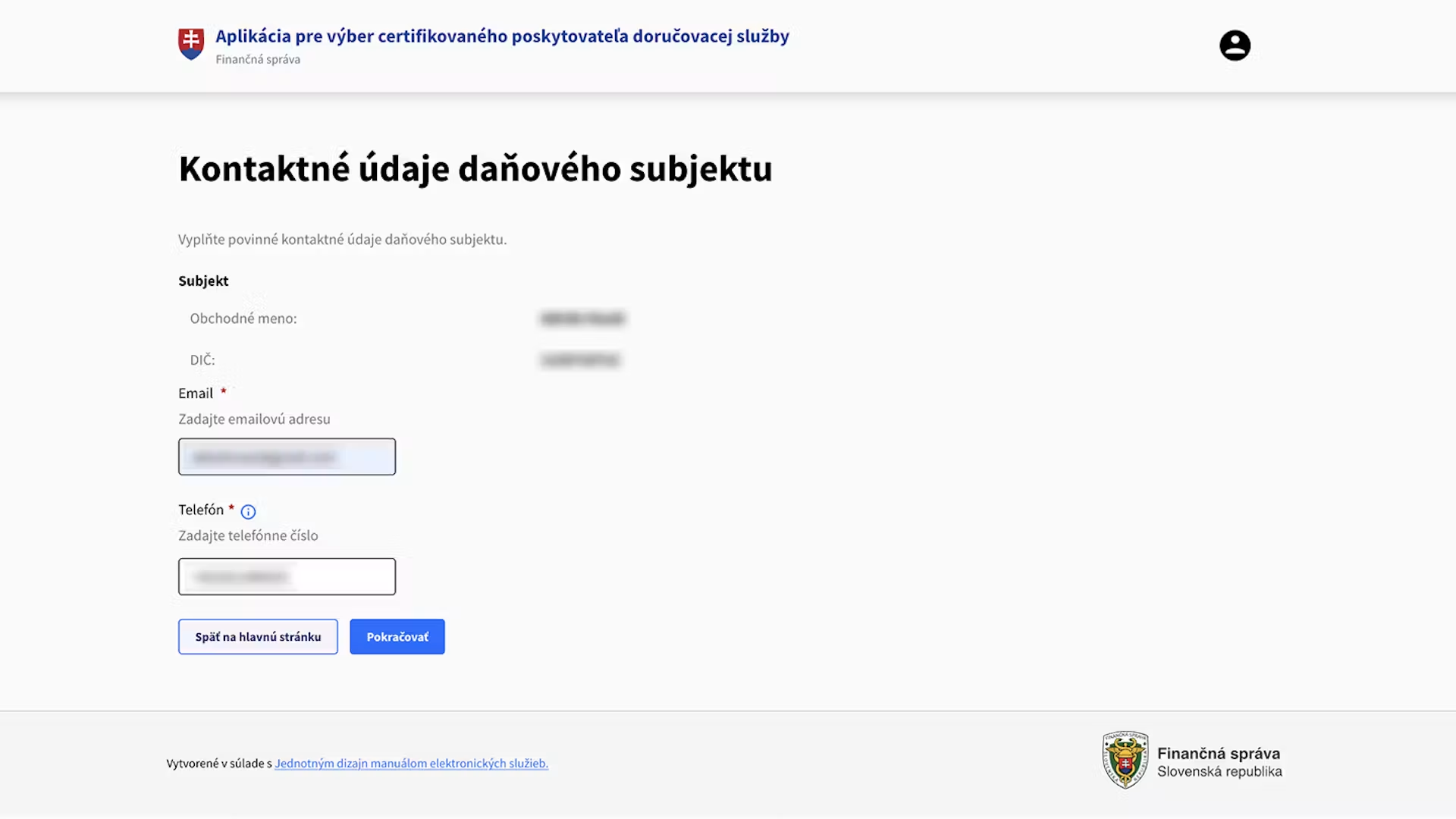
Enter your contact details
Enter your email address and phone number. These details will be used for communication and notifications related to e-invoicing.
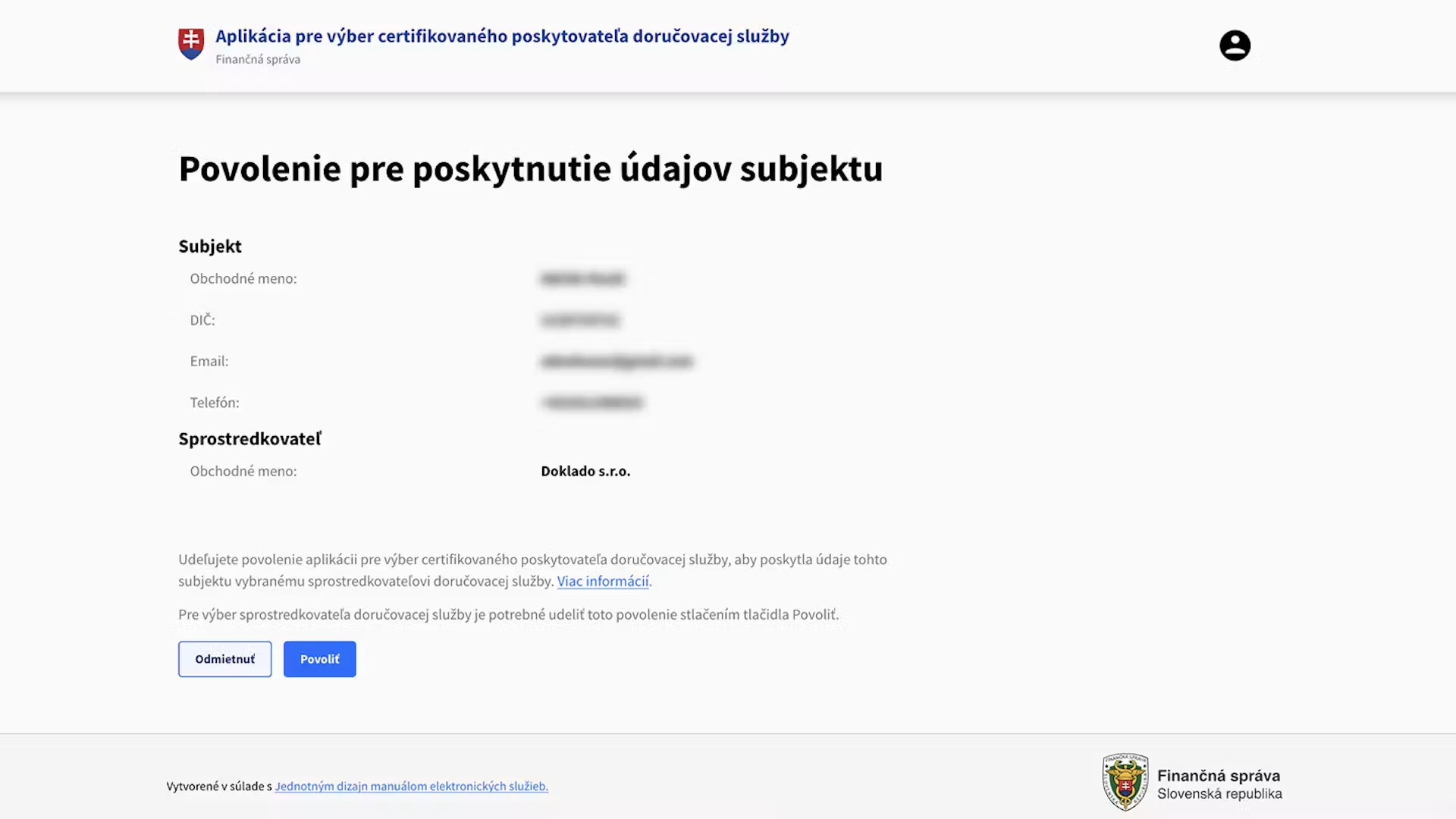
Confirm data sharing
Give your consent to share your company's data with the selected digital postman. Registration cannot be completed without this consent.
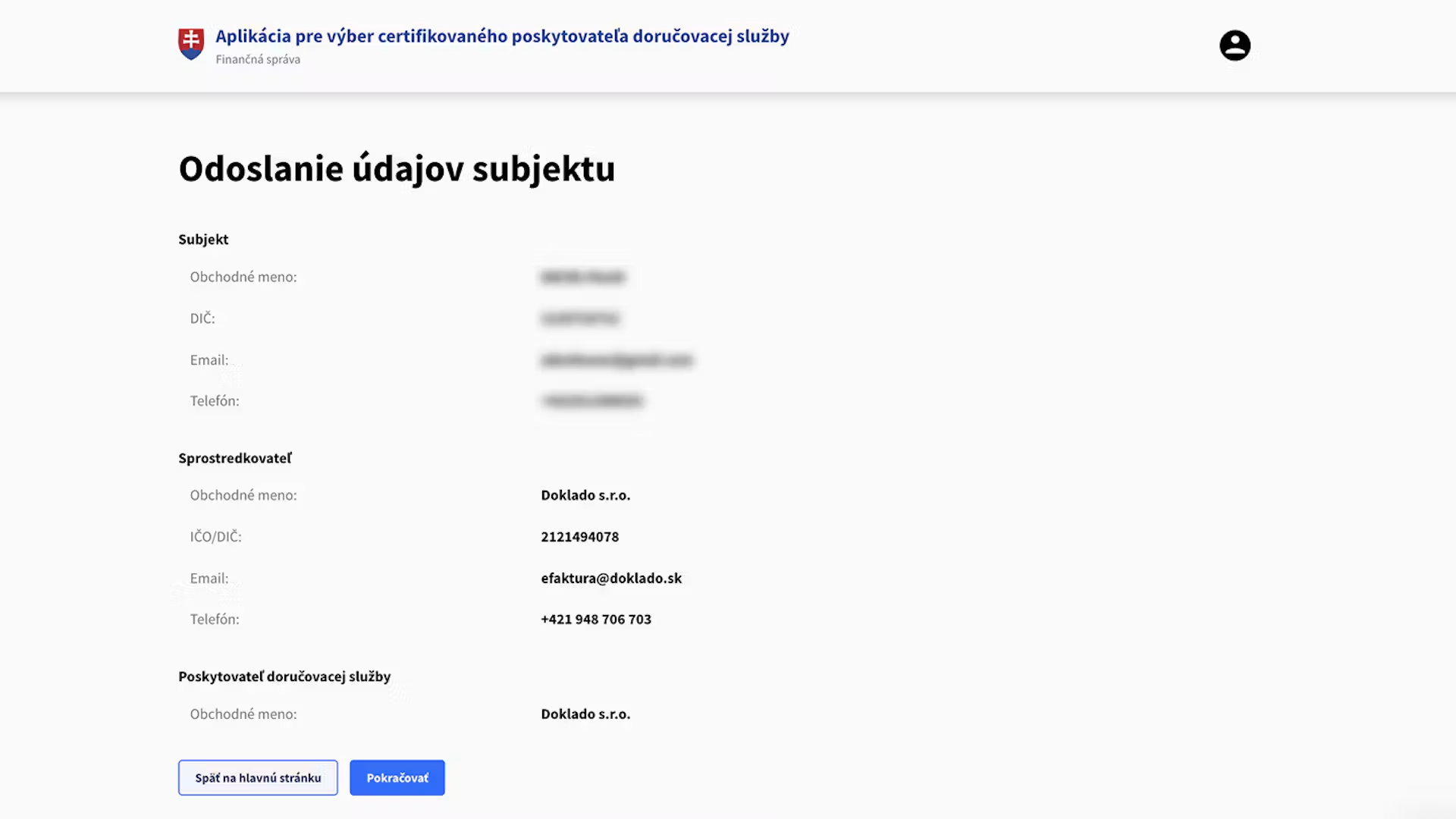
Check your details and submit the application
Check all details before submitting. Once confirmed, the application will be submitted and you will receive confirmation of successful processing.
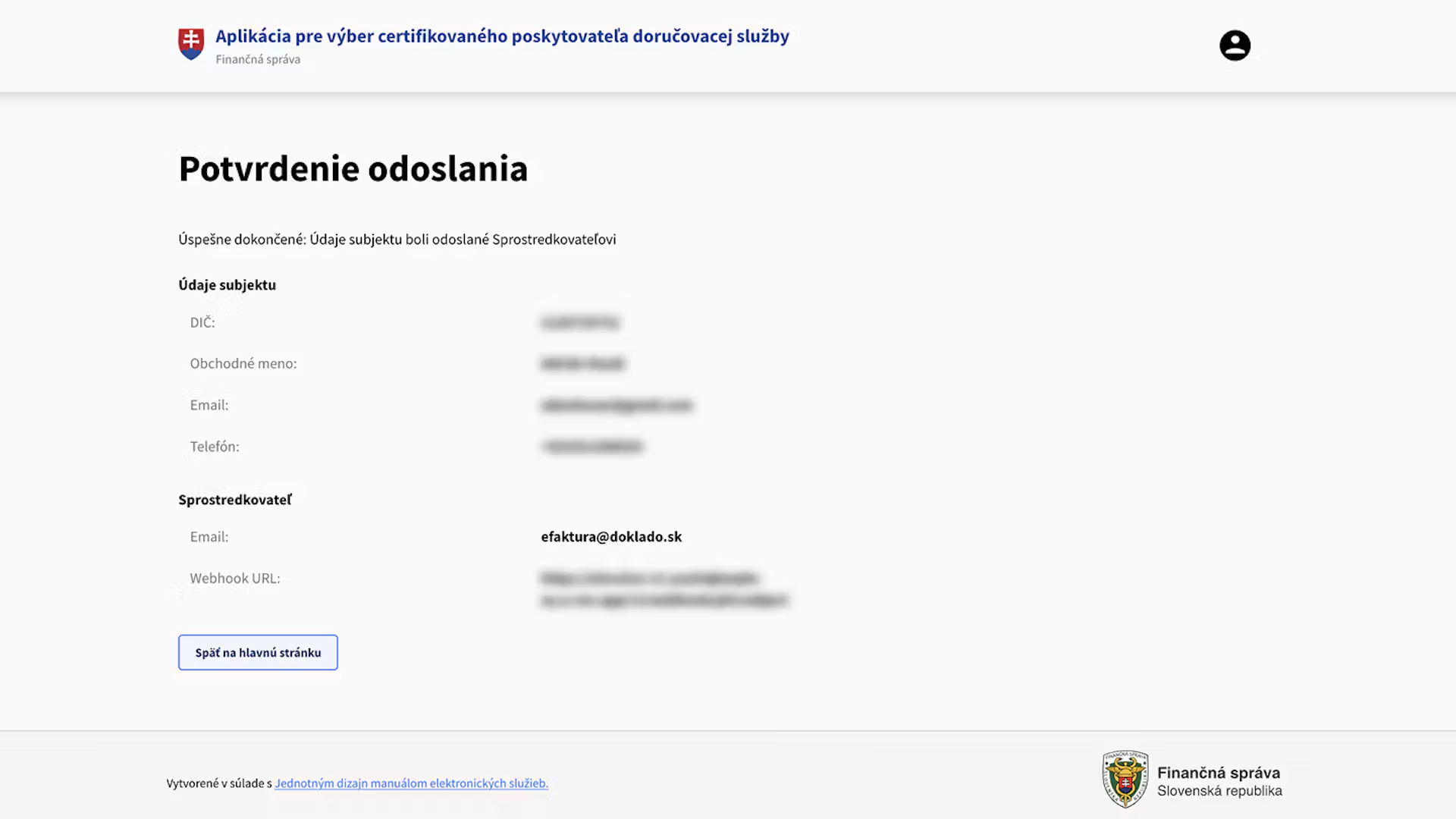
Done, your selection is complete.
Check all details and submit the application. Once it has been successfully submitted, your choice of digital postman will be registered and you will be informed of the next steps through the Financial Administration.
Why choose Doklado Poštár?
Doklado Poštár is part of the e-invoicing solution and, in conjunction with the Document Management service, makes it easy to link invoices, documents and payments in one place.
- Simple and free compliance with legal requirements
- Integration with Document Management in the Tatra banka app
- Automatic matching of documents with payments
- Easier collaboration with your accountant
- A real-time overview of your business
What happens if I choose a digital postman other than Doklado?
You can choose any certified provider. However, if you choose a digital postman other than Doklado, you will still receive e-invoices, but they will not be automatically available in the Document Management service. You will not be able to issue e-invoices directly in the Tatra banka mobile app, your e-invoices will not be linked to your payments, and your accountant will not have access to them in real time. The ideal solution is therefore to choose Doklado as your digital postman for both receiving and sending e-invoices. You will have everything - documents, invoices, payments and collaboration with your accountant - in one place, directly in the Tatra banka app.
Can I use the services of multiple digital postmen?
Yes, a business can use the services of multiple digital postmen, for example if it uses several accounting or invoicing systems. However, it is important to clearly define which digital postman handles the receipt of e-invoices for a specific company or identifier and which one is used to send each e-invoice.
Before choosing multiple providers, check their technical capabilities, delivery rules, pricing and how they integrate with your systems. In most cases, one digital postman is sufficient to handle both receiving and sending e-invoices.
If I have activated the Document Management service, am I ready for e-invoicing?
Yes. By activating the Document Management service, you get a solution that is ready for working with e-invoices. To receive and send them, you also need to activate Doklado Poštár, which you can access through the Document Management service in the Tatra banka app.
How much does e-invoicing through Document Management cost?
With the Document Management service from Tatra banka, you can process up to 70 documents per month, including e-invoices, free of charge. Once you exceed this limit, additional documents are charged according to the current price list of our partner Doklado.
Issuing and sending e-invoices
Can I send an e-invoice to my accountant for review before sending it to the customer?
Yes. Before sending an invoice, you can share a draft or PDF preview with your accountant for review. If you use the Document Management service, your accountant can access the documents directly in the system, so you do not need to send them by email.
It is important to review the e-invoice before sending it to the customer. Once sent, an invoice generally cannot be simply edited. Any errors are resolved using an appropriate correction document, such as a credit note or cancellation document.
Will it still be possible to send invoices by email after 1 January 2027?
Yes, you will still be able to send an invoice or its PDF preview by email after 1 January 2027. However, if it relates to a transaction subject to mandatory e-invoicing, sending the PDF document by email alone will not be sufficient.
The invoice must be issued in the prescribed structured electronic format and properly delivered to the customer through a digital postman or another method permitted by law. The PDF can remain as a readable preview or attachment, but it does not replace the structured e-invoice.
For invoices that are not subject to mandatory e-invoicing, such as invoices issued to consumers, existing delivery methods will still be available.
What do the different colours and e-invoice statuses mean in the Document Management service?
The icons and colours next to an e-invoice help you quickly identify its current status. However, the status name displayed next to the specific e-invoice is always the definitive indicator:
- Send: the e-invoice has been created but has not yet been sent to the customer.
- Awaiting confirmation: the e-invoice has been sent, but the system has not yet received confirmation that it has been received on the customer's side.
- Sent: the e-invoice has been successfully received by the customer's digital postman.
- Undelivered: an error occurred during delivery and the e-invoice was not successfully delivered.
- Not sent: the e-invoice was not sent within the specified deadline.
Clicking on the icon or status name displays details, such as information about the customer, the sending history, confirmation of receipt or information about any error that occurred.
Receiving, storing and troubleshooting e-invoices
What should I do if I receive a PDF invoice instead of an e-invoice after 1 January 2027?
If you receive an invoice only in PDF format after 1 January 2027, first check whether it relates to a domestic transaction subject to mandatory e-invoicing. If it does, the PDF document alone is not a structured e-invoice. Ask the supplier to properly deliver the invoice in the prescribed structured electronic format through a digital postman.
Recommended steps:
- Check for the invoice with your digital postman to see whether a proper e-invoice was delivered to you along with the PDF preview.
- If you received only a PDF, contact the supplier and ask them to properly deliver the structured e-invoice.
- You can keep the PDF as a readable preview, but for a transaction subject to mandatory e-invoicing, it does not replace the structured e-invoice.
- Inform your accountant of the situation and decide on the next steps based on the circumstances of the specific transaction and your internal accounting rules.
How long must e-invoices be retained?
E-invoices must be retained for ten years following the year to which they relate. An e-invoice must be stored in its original structured electronic format. The authenticity of its origin, the integrity of its content and its readability must be ensured throughout the retention period. Saving only a PDF preview does not replace retaining the original e-invoice.
With the Document Management service, your e-invoices are securely archived for ten years in accordance with legal requirements.
What are the consequences if I fail to meet an obligation related to e-invoicing on time?
The tax office may impose a penalty for failing to meet obligations related to e-invoicing. A fine of up to EUR 10 000 may be imposed for a breach of the reporting obligation to the Financial Administration, rising to EUR 100 000 for repeated breaches. These are maximum limits, not amounts imposed automatically. The severity, duration and circumstances of the breach are considered when determining the actual amount of the fine.
Breaches of the reporting obligation that may result in penalties include, in particular:
- failure to report the data required by law to the Financial Administration,
- late reporting of data,
- reporting incomplete or incorrect data,
- repeated breaches of the reporting obligation.
Issuing only a PDF document instead of a mandatory structured e-invoice, or failing to ensure its proper delivery, may mean that the business has not fulfilled its statutory obligations and the related data has not been properly reported. Sending a PDF by email alone is therefore not sufficient for a transaction subject to mandatory e-invoicing.
No fine will be imposed in the event of an obvious error or a verifiable technical failure on the part of the certified delivery service provider, provided that the data is reported promptly after the failure has been resolved. However, the business must be able to provide evidence of the circumstances of the failure.
What every accountant should know about e-invoicing
Preparing clients and choosing a digital postman
Who is responsible for choosing a client's digital postman?
The business or organisation subject to e-invoicing is responsible for choosing a digital postman. However, the selection does not have to be made solely by the managing director. It can also be made by an accountant or another authorised person who has the necessary authority to act on behalf of the client on the Financial Administration portal.
If the client does not have access to the Financial Administration portal, they can involve an accountant with a power of attorney in the selection process. When Doklado Poštár is selected, the accountant receives an email with instructions and completes the process on the client's behalf through the Financial Administration portal.
How should I choose a suitable digital postman for my clients?
When choosing a digital postman, consider in particular:
- the accounting or invoicing system the client uses,
- the options for integrating the digital postman with the accounting system,
- the number of invoices received and issued,
- how documents are processed and exported,
- accountant access and options for working with multiple clients,
- automation, payment matching and archiving capabilities,
- the service price, user support and the terms for switching providers.
First, check which digital postmen the accounting system will integrate with. If the client does not have accounting or invoicing software, a digital postman with its own web or mobile application may be a suitable solution. Choose from the list of certified providers and their intermediaries on the Financial Administration portal.
Will it be possible to try working with e-invoices before mandatory e-invoicing begins?
Yes. Electronic invoicing can be used voluntarily during 2026. Accountants and their clients can therefore test the entire process in advance, from issuing and sending an e-invoice to receiving, processing and exporting it to the accounting system.
To test actual delivery, both parties must be ready for electronic exchange and the client must have an active digital postman. When using Doklado, you need to activate Doklado Poštár to send and receive e-invoices.
Accounting system and access settings
Do I need to change my accounting system if it does not currently support e-invoices?
Not necessarily. First, check with your accounting system provider whether they are preparing support for e-invoices and integration with a digital postman.
If the system will not support e-invoices, the client can receive and send them through a digital postman's web or mobile application and then export them to the accounting system. Another option is an integration solution or a switch to a system that can automatically process structured e-invoices.
Tatra banka clients can handle e-invoices through the Document Management service in conjunction with an active Doklado Poštár service, and therefore do not automatically need to change their current accounting software.
If my client has activated Document Management and Doklado Poštár, do I need access to their business account?
No. To work with documents and e-invoices, you do not need the client's login details or access to their internet banking.
The client invites you to the Doklado web application and assigns you the accountant role. You then gain access to the documents and data needed for accounting purposes within the scope of the permissions set by the client.
Tatra banka business clients with an active Document Management service benefit from the linking of documents to bank transactions, so you can also work with the data made available in the application for matching documents and payments. However, this does not give you access to the business account or permission to carry out banking transactions on the client's behalf. The accountant does not need to have the Tatra banka app and does not need to be a client of the bank.
Receiving, processing and paying e-invoices
When will I see a client's e-invoice in the Doklado web application?
If the client has an active Doklado Poštár service and has assigned you the accountant role in the application, a received e-invoice will automatically appear under the relevant company in the Doklado web application once it has been successfully delivered.
You do not need to wait for the client to email you the invoice or upload it manually. In the application, you will see the information needed to process the invoice, such as the supplier, amount and due date. The availability of specific data and features depends on your assigned role and permissions.
How will received e-invoices be processed, distributed and paid?
Once delivered by the digital postman, a received e-invoice will automatically be available in the client's system. If the client uses the Document Management service and the accountant has been granted access, both parties will see the e-invoice without the need to send PDF documents by email.
The accountant can review the invoice, add the necessary accounting data and prepare it for further processing or export to the accounting software. The service can provide the client with an overview of the document's status, its due date and whether it has been matched with a payment.
The invoice is paid by the client or another authorised person. The Document Management service enables quick invoice payment in the Tatra banka mobile app.
Retaining e-invoices
How long must e-invoices be retained and in what format?
E-invoices must be retained for ten years following the year to which they relate. An e-invoice must be stored in its original structured electronic format. The authenticity of its origin, the integrity of its content and its readability must be ensured throughout the retention period.
Saving only a PDF preview does not replace retaining the original structured e-invoice.
With the Document Management service, the client's e-invoices are securely stored in a digital archive for ten years, helping them meet the legal requirements for retaining them. However, the business remains responsible for fulfilling its statutory archiving obligations.
What you should know about Document Management
How many documents can I upload per month free of charge?
- Tatra banka allows you to upload up to 70 documents per month free of charge directly in the mobile app in the My Company section.
- You can easily check the number of uploaded documents in the Document Management section after clicking the View detail button.
Can my employees also use this service?
- Yes, the Document Management service can be used by several employees at the same time – depending on who you grant access to.
- As the account owner, you activate it in the My Company section, invite users and set their permissions in the Document Management web module. An employee with access to the account can scan documents directly through the mobile app. If they do not have access, they can use the Doklado app.
What types of documents can I upload?
- Supported documents: Slovak and foreign receipts, foreign invoices, cash register slips, receipts, delivery notes, payment confirmations, issue slips, goods receipt notes, parking and travel documents, fuel receipts from abroad, electronic invoices from e-shops.
- Supported formats: photo (JPG, PNG) or document (PDF) – single-page and multi-page.
What is the fastest way to upload all my old and new documents here?
- Take a photo of the document, upload it in PDF format or send it to the email address designated for Document Management.
- You can find the email address in the My Company → Document Management section. Click the View detail button and then Documents by email.
- You can upload a larger number of documents at once via the Doklado web interface.
What happens if I make a mistake – scan a document incorrectly, make an error or forget something?
- You can open, edit or rescan the document at any time.
- Errors will not affect your accounting until you process and export the document.
Is it safe to have all documents in the My Company – Document Management app? What if I lose my mobile phone?
- Documents are securely stored in the cloud for 10 years, not directly on your mobile phone.
- After logging in, all your documents will also be available on a new device.
Is it possible to store accounting documents only electronically, or do their paper versions also need to be kept?
- Yes, accounting documents may be stored electronically if the legal conditions are met.
- After proper transformation for accounting purposes, the paper version does not need to be kept unless a special regulation provides otherwise.
What should I do if I want to withdraw my consent to data sharing in the Document Management service?
- You can request cancellation of the service at any Tatra banka branch.
Does the accountant need the Tatra banka app to exchange documents with the client in the Document Management service?
- No, the accountant does not need the Tatra banka app and does not even have to be a Tatra banka client.
- The connection works through the Doklado web interface.
What period do the data in the My Company → Document Management section show?
- In the My Company → Document Management section, you see data for the current month.
- If you want to view another month, click the View detail button.


Do you need help?
We will help you activate the service at a Tatra banka branch or via DIALOG Live *1100.
About Doklado
The Document Management service is provided in cooperation with Doklado.
Doklado is a Slovak technology company that digitalizes accounting for small and medium-sized businesses and accountants. It offers solutions for scanning, archiving and connecting with banks and accounting software. It brings significant savings in time and capacity and digitalizes the mandatory administration associated with business. Doklado has earned the trust of thousands of entrepreneurs and accountants in Slovakia and brings a modern solution for their business.
Contact person
Andrej Krajňak
+421 908 871 719
[email protected]
www.doklado.com/sk
Doklado is also an accredited digital postman for e-invoices. If you choose it, it will handle sending, receiving and reporting e-invoices to the Financial Administration for you - automatically, without changing your software and at no additional cost.
https://www.tatrabanka.sk/en/business/accounts-payments/digital-tools-business/document-management/